Use the app
Create presets and weekday rules
Reduce repeated entry while keeping the saved record tied to what actually happened.
Quick answer: A direct-care preset fills a saved duration into its matching location field. An indirect-care preset inserts reusable description text; it does not add time. Weekday automation can prefill a draft. Review every value before saving.
Last reviewed October 9, 2026
Create useful presets
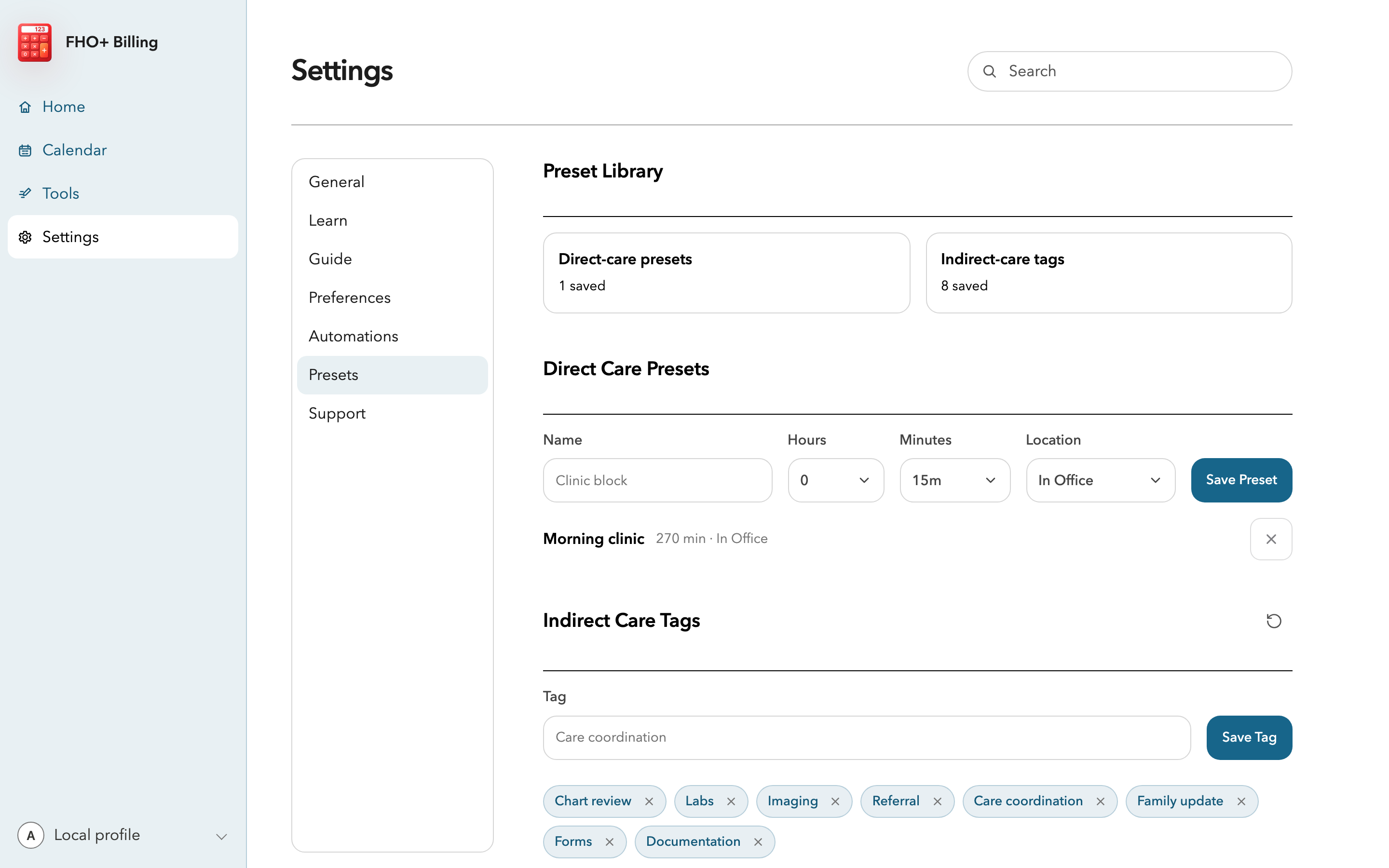
- Open Settings, then Presets.
- Enter a clear name, choose its duration in 15-minute increments, set the location, and select Save Preset.
- Create short indirect-care tags such as Chart review, Labs, Referral, or Care coordination. A tag adds wording to the activity description, not to the time field.
- Keep the library short. A few recognizable choices are easier to review than a long list of near-duplicates.
Set up a weekday rule
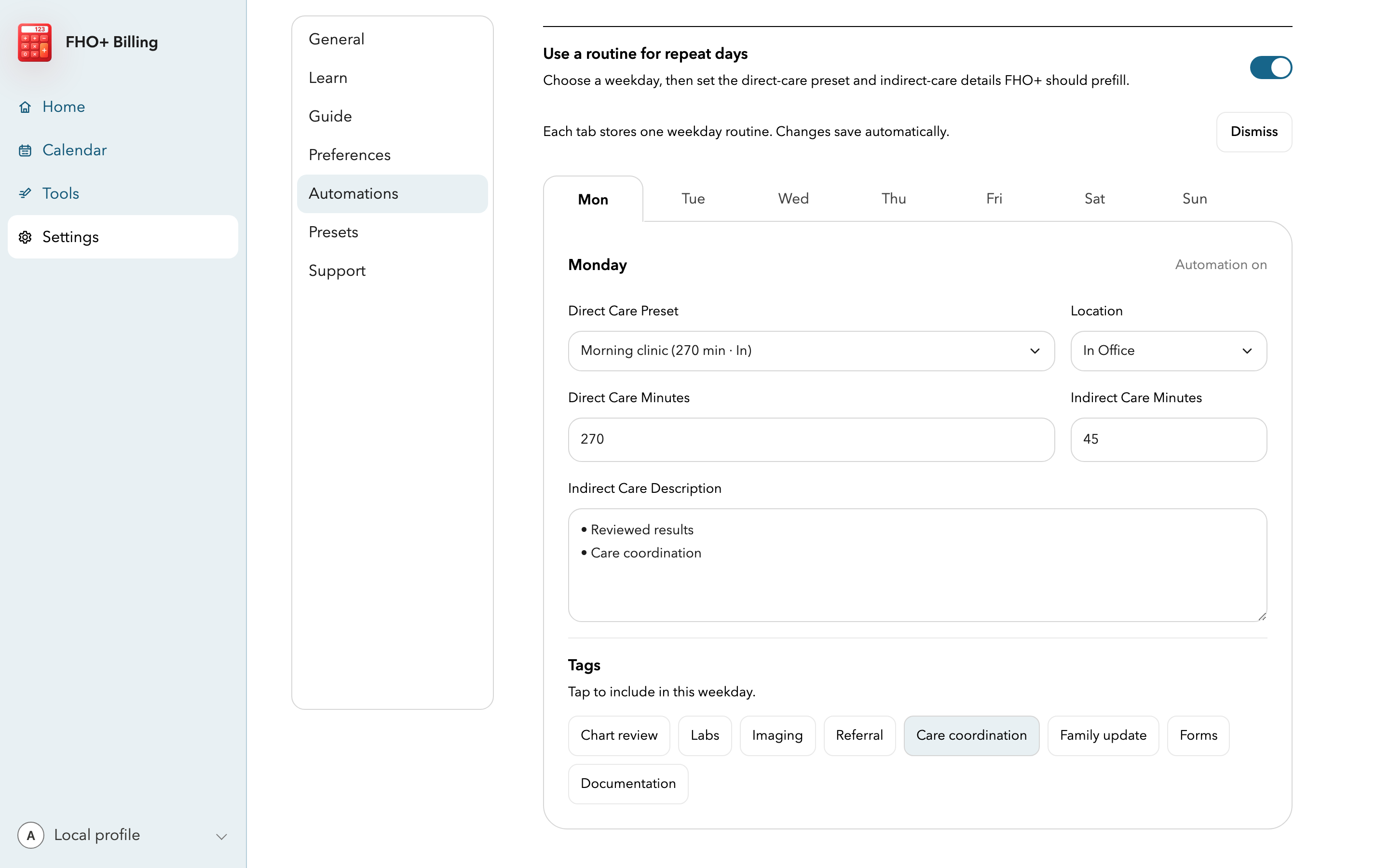
- Open Settings, then Automation, and turn on weekday automation.
- Choose a weekday and select the direct-care preset or usual direct minutes and location.
- Add indirect minutes and activity tags only when they are genuinely routine for that weekday.
- On the next matching day, review the draft before saving. Automation starts an entry; it does not certify the time.
Keep shortcuts accurate
- Update a preset when clinic hours, location, or the work pattern changes.
- Remove descriptions that are too general to explain what you did.
- Never use a preset or automated amount as a substitute for the actual daily total.
Important notes
- The Ministry and OMA guidance require actual time worked and activity summaries for support categories. A prefilled draft still needs your review.